
 Jeffery Pookie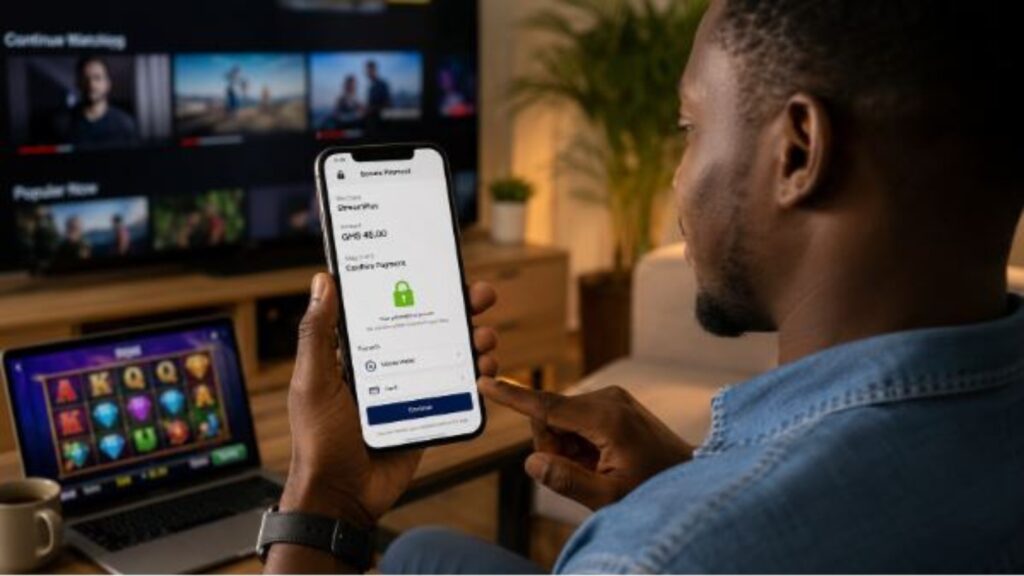
Knowing how to pay safely for digital entertainment in Africa matters whenever money moves through a phone. The same checks apply when someone renews a streaming subscription or funds an online casino account. A familiar payment logo does not remove the need to verify the merchant and transaction amount.
Mobile money now supports a large share of everyday digital spending. GSMA reported that the industry processed more than $2 trillion worldwide in 2025, up 23% in a year. Sub-Saharan Africa recorded the strongest regional gains. Wider use also gives fraudsters more chances to imitate payment prompts.
This guide focuses on the checks that help users choose a suitable payment method, avoid common risks, and resolve problems when a transaction does not go through.
Practical Steps for Safer Digital Payments
A safe payment process starts before the user opens the cashier. The following steps explain what to check before confirming a transaction and what to do if the payment is delayed or disputed.
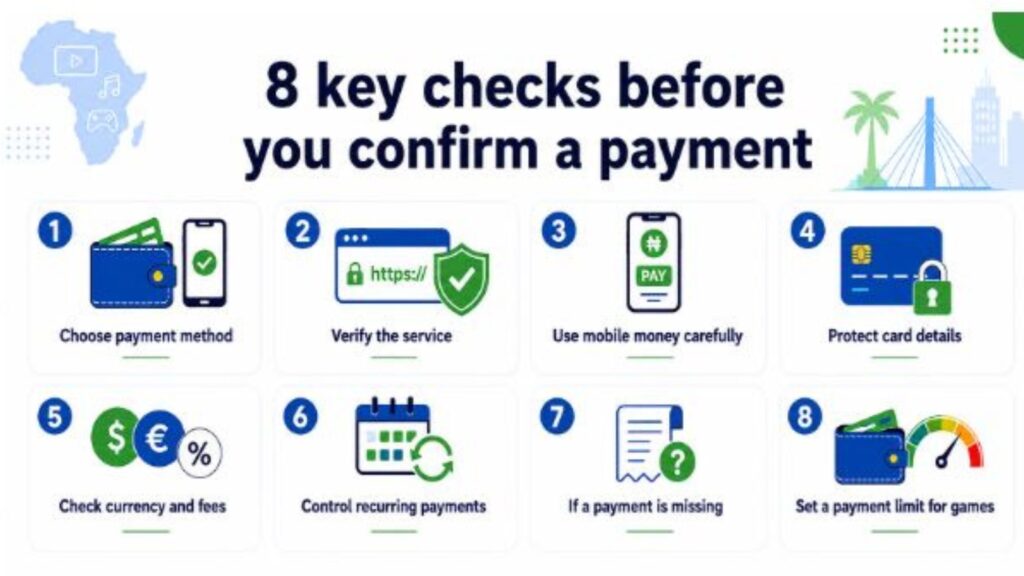
Choose a Payment Method That Fits the Purchase
The right method depends on how often you expect to pay and whether the service uses local currency.
| Payment method | Best suited to | Check before paying |
| Mobile money | Local services and quick deposits | Merchant name and transaction fee |
| Debit or credit card | International platforms and subscriptions | Currency and bank authentication |
| Virtual or prepaid card | Controlled online spending | Available balance and refund support |
| Bank transfer | Planned payments to verified businesses | Recipient name and processing time |
Mobile money options vary by market. M-PESA is widely used in Kenya. MTN MoMo and Orange Money serve users in other parts of the continent. Local availability still differs, so users should check the platform’s cashier before creating a paid account.
Verify the Service Before Paying
A few checks can reveal obvious payment risks before any money leaves the account.
- Check the website address. Fraud pages often use a domain with one changed letter or an extra word. Open the service from a saved bookmark or type the address yourself.
- Look for a secure payment page. The checkout should use HTTPS. The padlock confirms an encrypted connection, but it does not prove that the business itself is trustworthy.
- Read the payment terms. Review the deposit and withdrawal rules together. Check the supported currency, minimum amounts, and expected processing times. For age-restricted services, read the KYC requirements before depositing.
- Confirm how card payments are authorized. Services may use Visa Secure or another bank verification step through an app or one-time code. Card data should also be handled in line with PCI DSS security standards.
Use Mobile Money Carefully
Mobile money payments can be completed in seconds, so the confirmation screen deserves full attention. Before approving a transaction:
- Open the official cashier. Access it through the service’s website or verified app.
- Check the merchant number. Compare the Paybill, Till, or merchant ID with the checkout instructions.
- Review the account reference. An incorrect reference may send the payment to the wrong user account.
- Confirm the recipient and amount. Read the full payment prompt before entering the PIN.
- Keep the SMS receipt. Save it until the service credits the account.
Safaricom states that its staff will never ask for an M-PESA PIN or password by phone or online. Apply the same rule to any wallet. A genuine support agent does not need the secret code used to approve a payment.
Also, be cautious with messages claiming that money was transferred by mistake. Check the balance inside the official wallet instead of trusting a screenshot or forwarded SMS. Whenever you need help, prioritize the provider’s recognized support channel over random sources.
Protect Card Details
Card payments are useful when a local wallet is unavailable, but each saved card creates another point of exposure. A few simple precautions can reduce the risk.
- Avoid saving the card on services you rarely use. Entering the details again takes longer, but it limits how many platforms store payment information.
- Use a virtual or prepaid card where possible. This keeps the main bank card separate and limits the amount available to the merchant. Check the refund rules before paying.
- Prefer tokenized payments. Tokenization replaces the original card number with a substitute value, which reduces the amount of sensitive data stored by the platform.
- Keep one-time codes private. A caller may know the cardholder’s name or recent transaction details, but that does not make the request genuine. End the call and contact the bank through its official app or verified number.
Check Currency and Fees
A platform may show prices in US dollars or euros even when the user pays from a local-currency account. In that case, the final amount can change after the bank or wallet applies its own exchange rate and transaction fee. Check the billing currency and the converted total before confirming.
The same applies to mobile money. Several small deposits may cost more in fees than one planned payment. Withdrawal conditions also matter, especially the minimum amount and whether funds must return through the original payment method. Review both sides of the transaction before making the first deposit.
Keep Recurring Payments Under Control
Before confirming a payment, check whether the charge is one-time or recurring. The renewal date and cancellation method should be easy to find, especially when a free trial later becomes a paid subscription.
Removing a saved card does not always stop future charges. Cancel through the platform itself and keep the confirmation. It also helps to review wallet and bank statements regularly, since a small, unfamiliar payment may be the first sign of an unwanted renewal or account problem.
What to Do When a Payment Is Missing
A delayed balance may mean the platform is still updating the account. Do not repeat the payment immediately. Here’s what to do instead:
- First, check the wallet or bank balance. Locate the transaction reference and confirm whether the money was deducted. Take a screenshot of the platform account if it still shows no credit.
- Contact the platform through its official support page. Provide the transaction reference and amount. Never send a PIN or one-time code.
- If the platform cannot trace the transaction, contact the wallet provider or bank. Ask about its dispute process and save the case number. Keep copies of the messages until the issue is closed.
Set a Limit Before Paying for Games
Paid gaming should use money already set aside for leisure. Therefore, it’s best to keep it separate from household essentials.
A weekly cap is easier to follow than an undefined monthly target. Set a deposit limit before the first paid session where the service provides that option. Transaction receipts will show whether the budget is being followed.
A separate wallet or virtual card can make spending easier to track. Load only the amount planned for that period. Once the balance is gone, wait until the next budget cycle.
Avoid making another deposit immediately after losing money. A spending decision made under pressure is more likely to exceed the original limit.
Final Thoughts
Safe digital payments in Africa begin before the PIN or card number is entered. Verify the platform and read the payment terms while there is still time to leave the checkout.
Confirm the merchant and amount during payment. Keep the receipt until the service credits the account. These habits take little time and make disputes easier to resolve.
FAQ
Is mobile money safe for online entertainment?
It can be safe when the merchant details are correct, and the PIN remains private. Confirm the recipient and amount before approval.
Should I save my card on an entertainment site?
Saving it speeds up future payments but increases exposure. Avoid doing so on services you use rarely.
Why can a withdrawal take longer than a deposit?
Withdrawals may involve identity checks and internal review. The expected timeframe should appear in the payment policy.
What should I do after receiving a suspicious payment message?
Do not follow its links. Check the transaction inside the official wallet or banking app and contact verified support.