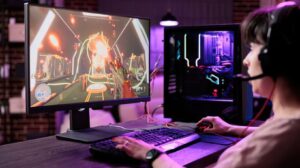
Gaming Laptop Display Technologies: Understanding Response Times, Color Accuracy and Motion Clarity
 Elyum Jniye

A good gaming laptop’s screen determines what the game looks like and what experience players have as they play. But when it comes to screens, factors such as response time, color accuracy, refresh rate, and motion clarity ensure the pictures are presented smoothly and clearly regardless of fast scenes. However, while people talk about video cards and CPUs when choosing gaming laptops, screen technology should be taken into consideration as well. When the nature of the screen technology is understood, people will know what to expect from the screen as far as their gaming experience is concerned.
When it comes to selecting a guter gaming laptop, screen size is not enough; you need to take many factors into account. Even if the laptops have the same components, they may have different performances when it comes to their screens due to how the screens work and how fast pixels are updated, not to mention how colors appear. These differences are especially noticeable when speed is essential in playing, meaning that racing games and games that require detailed graphics will make the players feel it strongly.
1. Understanding Display Response Times
Response time shows how fast a screen pixel moves from one colour or shade to another. It is shown in milliseconds (ms). A lower response time means pixels can change faster, so you see less ghosting and trailing behind moving things on the screen.
Gaming laptop makers often talk about response times like 1 ms, 3 ms, or 5 ms. These numbers can help you know what to expect. But, how they are measured is important. The grey-to-grey (GtG) response time is the one they use the most. Still, each company may test this in a different way.
Slow pixel changes can cause ghosting, especially when the camera moves fast or during gameplay where players try to win. This makes things that move look blurry or leaves light trails behind them. You can read independent display reviews to get a better idea of how well the screen responds.
2. Why Refresh Rates Matter
Refresh rate shows how often the screen changes its picture each second. It is measured in Hertz, or Hz. Most gaming laptops come with screens that have 60 Hz, 120 Hz, 144 Hz, 165 Hz, or 240 Hz.
A higher refresh rate means the screen shows more frames each second if the device can handle it. This helps movement look smoother. It is very good for fast games like first-person shooters and racing games.
But refresh rate and response time are not the same thing. A screen with 240 Hz will show new images fast, but if the pixels move slow, it can still make moving things hard to see. You should look at both things together when you compare gaming screens.
3. Evaluating Colour Accuracy
Colour accuracy shows how well the colours on a screen look like they should. It is important for gamers who want clear worlds, true lighting, and good-looking pictures. It also matters for those who use their laptop for editing photos, making videos, or doing graphic design.
Here are some things that show how colour works:
- sRGB coverage: This shows how much the normal sRGB colour area a screen can show. When there is full coverage, it is good for all-day use and most creative jobs.
- DCI-P3 coverage: This covers a bigger colour area. It is often linked to digital movies and new HDR videos.
- Adobe RGB coverage: This is useful for some jobs in pro photography and print.
- Colour correctness: It is often shown with Delta E numbers. A lower number means that the colours get closer to true colours.
A screen with more colour does not always show colours right. The way you set it, how bright it is each time, and how good the screen is. All these things change what you see in the end.
4. Understanding Panel Technologies
Gaming laptops utilize a variety of screen types, namely IPS, OLED, and other variations of LCD. Each variety has its own particular strengths and weaknesses.
- IPS panels: These screens have a wide viewing angle. The colors that are displayed on these screens are accurate even if viewed from an angle. Because of this, they are widely used in gaming laptops, as they provide great clarity and fast-moving images.
- OLED panels: OLED screens excel at black levels, as they allow each pixel to be turned off completely. They provide excellent contrast and bright images as a result. Moreover, their ability to display images in a matter of seconds could have made them the optimal choice. However, users must take caution, as images may get stuck on the screen for a certain period in some cases.
- VA panels: VA screens usually perform better than most IPS screens in terms of contrast. They can create deeper blacks; however, some models may have a slower transition time.
5. What Is Motion Clarity?
Motion clarity is about how clear you see things that move on a screen. The way it looks can be changed by the speed of the screen, how fast it refreshes, how many frames you get every second, and how much blur there is when things move.
Some gaming laptops can work with adaptive sync tools like NVIDIA G-SYNC or AMD FreeSync. These features help the screen match up with the graphics card’s frame speed. This can cut down on screen tearing and make what you see on the display look smoother and better.
Motion clarity can change with different brightness levels. It can also be affected by how the screen responds. A high refresh rate does not always mean the image will be very clear when things move fast.
Conclusion
Gaming laptop screen quality depends on more than just how sharp or big the screen is. Response time tells how fast the pixels can move. Refresh rate changes how smooth things look. Colour strength shows how true the picture appears. The type of screen and syncing it up also help shape the way you see things. When you look for a guter gaming laptop, it is best to check all these things together, not just pick one that sounds best. If you know what each part does, you can pick a screen that works well for games and for other uses.